%20(1).png)
Splunk to platforma do analizy danych, będąca wiodącym rozwiązaniem na rynku w zakresie narzędzi do monitorowania i systemów SIEM. Umożliwia ona firmom gromadzenie i przetwarzanie ogromnych ilości danych, przekształcając je w przydatne pulpity nawigacyjne, wykresy i wnioski dla biznesu. Przeczytaj nasz artykuł, aby dowiedzieć się, czym jest Splunk, jak działa i z jakimi wyzwaniami możesz się spotkać.
Czym jest Splunk?
Oficjalnie Splunk to amerykańska firma, która opracowuje oprogramowanie do wyszukiwania, monitorowania i analizy dużych ilości danych. Mniej formalnie, tej nazyw używa się także w odniesieniu do ich produktów i usług.
Pracownicy Splunk nazywani są Splunkers, a nazwa pochodzi od słowa „spelunking” - eksploracji jaskiń i kopalń.
Firma Splunk została założona w 2003 roku i ma siedzibę w San Francisco w Kalifornii w USA. Od 2024 roku firma jest oficjalnie częścią Cisco, światowego lidera w dziedzinie IT i sieci komputerowych.
Jakie są produkty Splunk?
Observability:
- Splunk Observability Cloud
- Splunk AppDynamics
- Splunk IT Service Intelligence (ITSI)
Bezpieczeństwo (security):
- Splunk Enterprise Security
- Splunk User and Entity Behavior Analytics (UEBA)
- Splunk SOAR
Platform:
- Splunk Cloud Platform
- Splunk Enterprise
Jak działa Splunk?
Jak już wspomnieliśmy, pod marką Splunk kryje się więcej niż jeden produkt. Firma znana jest jednak przede wszystkim z dwóch głównych założeń – przekształcania danych w konkretne działania (niezależnie od źródła) oraz wspierania budowania cyfrowej odporności przedsiębiorstwa.
Splunk pobiera dane ze stron internetowych, aplikacji, czujników, urządzeń i innych źródeł. Potem Splunk indeksuje strumień danych i rozbija go na szereg pojedynczych zdarzeń, które można przeglądać i przeszukiwać.
Czy Splunk może być używany do monitorowania?
Tak, Splunk może służyć do monitorowania, ale jego możliwości wykraczają poza ten zakres. Splunk wspiera cyberbezpieczeństwo, observability, operacje sieciowe oraz podejmowanie decyzji biznesowych opartych na danych. W badaniu Gartner Magic Quadrant z 2025 roku firma Splunk została uznana za lidera na rynku rozwiązań z zakresu observability i SIEM.
Niezależnie od tego, czy chodzi o środowisko lokalne, hybrydowe czy chmurowe, Splunk zapewnia natychmiastową wizualizację, alerty w czasie rzeczywistym oraz ukierunkowane rozwiązywanie problemów.
W wygląda zarządzanie Splunkiem i jego utrzymanie?
Zarządzanie platformą Splunk zależy od sposobu jej wdrożenia.
W przypadku Splunk Cloud podstawowe operacje związane z platformą oraz aktualizacje są obsługiwane przez firmę Splunk. W przypadku Splunk Enterprise obowiązki te spoczywają na Twoim zespole lub zaufanym partnerze.
W obu przypadkach źródła danych, dodatki, agenci i wdrażanie nadal wymagają odpowiedniego nadzoru, aby wszystko działało bez problemów od początku do końca. Niezawodna konfiguracja Splunk to nie tylko kwestia platformy, ale zaczyna się od odpowiednich danych, bezpiecznych aktualizacji i konkretnego przełożenia na wartość biznesową.
Źródła danych, dodatki i agenci ewoluują z biegiem czasu, dlatego aktualizacje powinny być przeprowadzane w kontrolowany sposób, aby zapewnić ciągłość działania.
Jaka jest różnica między Splunk Cloud a Splunk Enterprise?
Splunk Cloud to usługa SaaS zarządzana przez całą dobę, w ramach której firma Splunk zajmuje się podstawowymi operacjami platformy oraz aktualizacjami. Subskrypcja usługi Splunk Cloud Platform jest w większości przypadków oparta na obciążeniu (workload) i dostosowana do dostępnych zasobów.
Splunk Enterprise to rozwiązanie on-premise/chmura prywatna, która zapewnia organizacjom bardziej bezpośrednią kontrolę nad aktualizacjami, skalowaniem i zarządzaniem platformą.
W obu modelach źródła danych, aplikacje, dodatki oraz instalacja, konfiguracja i zarządzanie modułami przekazującymi nadal wymagają naszej uwagi i starannego zarządzania, w tym utrzymania zgodności wersji. Szczegółowe porównanie techniczne różnic między obydwoma rozwiązaniami można znaleźć tutaj.
Jakie dane mogą trafić do Splunk? Co możemy indeksować?
Pobierane dane mogą mieć niemal dowolną postać. Splunk może gromadzić dane z wielu źródeł (aplikacji, usług w chmurze, serwerów, urządzeń sieciowych i czujników) oraz w ciągu kilku sekund nadawać im strukturę umożliwiającą analizę. Platforma Splunk może indeksować wszystkie strumieniowe, maszynowe i historyczne dane informatyczne, takie jak dzienniki zdarzeń, dzienniki serwerów WWW, dzienniki aplikacji na żywo, strumienie sieciowe, metryki, monitorowanie zmian, kolejki komunikatów, pliki archiwalne i wiele innych.
Jednak co ważne, pobieranie danych powinno być oparte na przypadkach użycia w biznesie. Nie wszystkie dane muszą być indeksowane. Splunk to platforma analityczna, a nie archiwum. Należy skupić się na pobieraniu danych, które zapewniają wgląd i wymierną wartość.
Jak sprawić, by zgromadzone dane stały się użyteczne dla firmy? Nasze podejście do tego jest takie, że najpierw określamy problem biznesowy oraz rolę, w ramach której pulpit będzie wykorzystywany. Następnie ustalamy, jakie dane są dostępne i jaki kontekst jest potrzebny, aby wyniki miały sens.
Dalej wykorzystujemy panele i wykresy Splunk, aby przekształcić dane w zrozumiałe widoki, które pomagają zespołom szybciej wykrywać problemy i podejmować lepsze decyzje.
Nie zawsze trzeba zaczynać od zera. Wiele aplikacji i dodatków Splunkbase zawiera przydatne pulpity nawigacyjne i raporty. Możemy je dostosować do Państwa środowiska i udoskonalić w oparciu o konkretne przypadki użycia.
Integracje Splunk - co jest dostępne? Kiedy korzystać z dodatków Splunkbase?
Splunk został stworzony z myślą o łączeniu danych z całego środowiska, a nie tylko z jednego narzędzia. Oprócz systemów ITSM i obsługi zgłoszeń często integrujemy Splunk z platformami chmurowymi, aplikacjami, interfejsami API, procesami CI/CD oraz systemami wewnętrznymi, dzięki czemu zespoły mogą uzyskać pełny obraz sytuacji i szybciej reagować.
W niektórych przypadkach Splunk jest również połączony z procesami automatyzacji i sztucznej inteligencji, w tym z rozwiązaniami opartymi na modelach LLM, co pozwala kierować alerty i informacje kontekstowe do odpowiednich zespołów przy mniejszym nakładzie pracy.
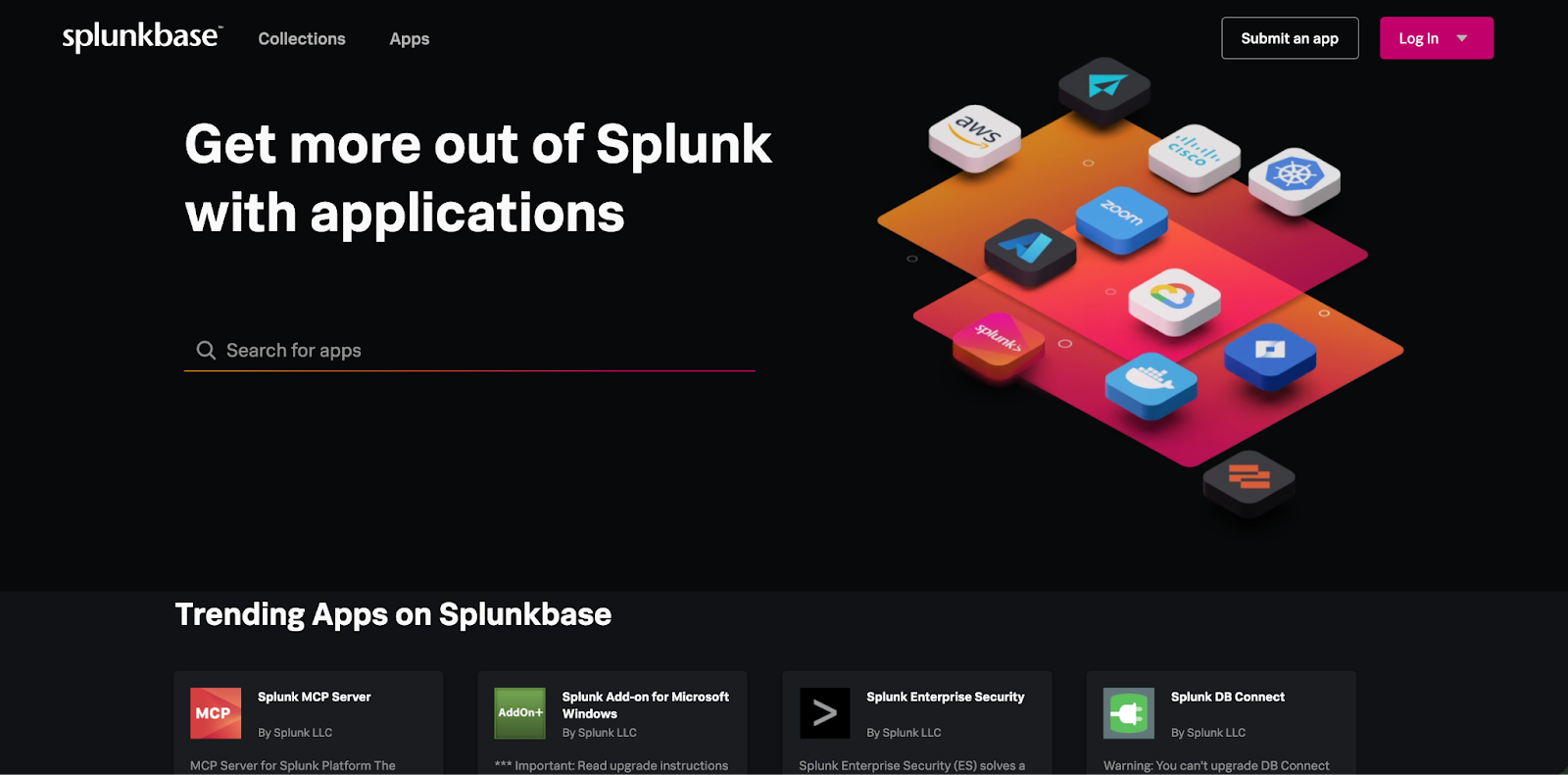
Większość integracji można zrealizować za pomocą istniejących aplikacji ze Splunkbase, a następnie dostosować je do własnego środowiska.
Aplikacja dostosowana do indywidualnych potrzeb jest konieczna, gdy korzystasz z niestandardowego systemu lub interfejsu API i nie ma gotowego dodatku. W takim przypadku tworzymy niewielką integrację, dzięki której dane są gromadzone i mogą być wykorzystywane w Splunk.
Jak Splunk może zmniejszyć problem zbyt dużej ilości ticketów?
Splunk gromadzi dane z różnych systemów w jednym miejscu, wykrywa istotne wzorce i może automatycznie generować powiadomienia lub uruchamiać działania. Dzięki temu zgłoszenia trafiają szybciej do właściwego zespołu wraz z niezbędnym kontekstem, co pozwala ograniczyć wymianę wiadomości i opóźnienia.
Automatyzacja działa najlepiej, gdy powiadomienia są wiarygodne. Skup się na odfiltrowywaniu zbędnych informacji i tworzeniu lepszych reguł klasyfikacji, tak aby zgłoszenia były generowane tylko wtedy, gdy coś rzeczywiście wymaga uwagi.
Jak radzić sobie z aktualizacjami i poprawkami Splunk?
Aktualizacje Splunk należy planować z uwzględnieniem ich przydatności, stabilności i możliwości wsparcia technicznego.
Najlepszym rozwiązaniem jest stosowanie się do zalecanych wersji i wdrażanie aktualizacji dostosowanych do danego środowiska i celów.
W przypadku Splunk Cloud aktualizacje podstawowej platformy odbywają się automatycznie, natomiast aktualizacje Splunk Enterprise należy przeprowadzać ostrożnie, aby zapewnić ciągłość działania i ochronę danych.
Jak korzystać ze złożonych danych w Splunk?
Zaczynamy od zrozumienia ich przeznaczenia oraz tego, na jakie pytania mają odpowiedzieć dane. Następnie stosujemy parsowanie, normalizację i wzbogacanie danych, aby były one spójne, możliwe do przeszukiwania i łatwiejsze w użyciu w panelach kontrolnych i alertach.
I mała wskazówka: wzbogacaj dane na wczesnym etapie. Dodanie odpowiedniego kontekstu już podczas pozyskiwania danych przyspiesza wyszukiwanie i ogranicza późniejsze niejasności.
Dlaczego warto optymalizować dane w Splunk zamiast indeksować wszystko?
Krótka odpowiedź brzmi, przez koszt, ponieważ licencjonowanie Splunk opiera się na ilości pobranych danych. Po drugie, archiwizacja. Przeszukiwanie dużej ilości danych jest kosztowne. Wymagania prawne często zmuszają do przechowywania danych przez rok lub dłużej, a to generuje dodatkowe koszta.
Optymalizacja danych pomaga uzyskać więcej korzyści ze Splunk bez przechowywania wszystkiego co możliwe. Chodzi o to, aby skupić się na danych, które faktycznie mają znaczenie i obsługują rzeczywiste przypadki użycia. Nieużywane dane można spokojnie zarchiwizować.
Jaki rodzaj licencji Splunk jest najlepszy w naszej sytuacji?
Zależy to od ilości danych, sposobu ich wykorzystania oraz planów rozwoju.
Splunk oferuje głównie dwa modele licencjonowania: oparty na pozyskiwaniu danych (ingest) oraz oparty na obciążeniu (workload). Licencjonowanie oparte na pozyskiwaniu danych często sprawdza się w przypadku umiarkowanych ilości danych, np. około 1 TB dziennie. Wraz ze wzrostem ilości danych lub złożoności ich wykorzystania sytuację należy dokładnie ocenić.
W niektórych przypadkach bardziej odpowiedni jest model oparty na obciążeniu, zwłaszcza gdy zastosowania są ograniczone. W innych przypadkach, nawet przy wyższych kosztach, pozostanie przy modelu opartym na pozyskiwaniu danych może nadal być bardziej korzystne. Nie ma jednej uniwersalnej odpowiedzi.
Jak zoptymalizować koszty licencjonowania Splunk?
Optymalizacja zaczyna się od zrozumienia przeznaczenia danych.
Nie wszystkie dane mają taką samą wartość biznesową. Pierwszym krokiem jest ocena, jakich informacji faktycznie potrzebuje organizacja i które dane pozwalają osiągnąć te cele.
Następnie nasze podejście polega na przeglądzie reguł pozyskiwania danych, źródeł danych oraz zasad przechowywania. Dane o niskiej wartości lub nieużywane można filtrować, dostosowywać lub udoskonalać. Jednocześnie należy nadać priorytet danym o wysokiej wartości.
Niewykorzystana "pojemność" licencji powinna być dostosowana do zdefiniowanych przypadków użycia biznesowego. Dostępna pojemność może wspierać uzyskiwanie dodatkowych wniosków bez zwiększania kosztów licencji.
Jak zoptymalizować pobieranie danych w Splunk?
Splunk oferuje szereg wbudowanych funkcji do zarządzania danymi w ramach ich pozyskiwania.
Optymalizacja zaczyna się od zastosowania odpowiednich narzędzi na właściwym etapie. Dane można analizować, filtrować, wzbogacać lub przekierowywać przed ich zindeksowaniem. Funkcje takie jak działania pozyskiwania (Ingest Actions), procesory pozyskiwania (Ingest Processors), procesor brzegowy (Edge Processor) oraz konfiguracje modułów przekazujących (forwarder) pozwalają na lepszą kontrolę nad tym, jakie dane są przechowywane i jak są one zorganizowane.
Ilość danych naturalnie się zmienia, więc warto zaplanować odpowiedni bufor.
- W wielu środowiskach utrzymanie około 20–30% rezerwy pomaga zapewnić elastyczność, płynniejsze skalowanie i dostosowanie do zmieniających się potrzeb w zakresie danych.
- Regularne przeglądy wykorzystania danych pomagają zapewnić, że licencja pozostaje dostosowana do rzeczywistych potrzeb.
- Celem jest zapobieganie niespodziankom poprzez połączenie planowania, widoczności i bieżącej oceny środowiska.
Dlaczego mój Splunk działa tak wolno? Jak poprawić jego wydajność?
Splunk jest wolny wtedy, kiedy nie został poprawnie skonfigurowany. Chodzi o optymalizację wyszukiwań, modeli danych, strategii indeksowania i wykorzystania zasobów:
- Zawsze należy tworzyć efektywne zapytania (zaczynając od indeksu i typu źródła)
- Do typowych przyczyn należą nieefektywne zapytania, nadmierny napływ danych lub wąskie gardła architektury.
- Niska wydajność wynika często z zakłóconych lub źle zorganizowanych danych oraz niewystarczających zasobów sprzętowych, takich jak procesor, pamięć RAM lub operacje wejścia/wyjścia na dysku.
Aby sprawdzi stan zdrowia Twojej infrastruktury, możesz korzystać z podstawowych funkcji Splunk i samodzielnie analizować dane za pomocą checklisty Splunk lub zlecić partnerowi Splunk przeprowadzenie kompleksowego audytu Twojej infrastruktury.
Czy Splunk jest wart swojej ceny?
Podobnie jak w przypadku każdej decyzji technologicznej, niezbędna jest ocena potrzeb, zasobów i budżetu Twojej firmy.
Splunk oferuje kompleksową platformę danych, która zapewnia bezpieczeństwo, funkcje observability oraz nieograniczone możliwości tworzenia przypadków biznesowych. Oto kilka powodów, dlaczego klienci wybierają Splunk:
- Przetwarzaj duże ilości danych z różnych źródeł bez problemów ze skalowaniem
- Zapewnij zgodność z obowiązującymi przepisami dotyczącymi zwalczania zagrożeń cyfrowych
- Przekształcaj dane we wnioski biznesowe i dowiedz się, czy to spadek na rynku, czy problem systemu
- Szybciej rozwiązuj problemy i ograniczaj przestoje, zanim wpłyną one na klientów
O Peakforce
Peakforce to firma technologiczna z Wrocławia, specjalizująca się w rozwiązaniach Atlassian i Splunk.
Jako oficjalny Atlassian Solution Partner i Splunk Partner wspieramy firmy w całej Europie i USA, oferując eksperckie doradztwo IT, audyty kondycji systemów, indywidualne wdrożenia oraz stałe wsparcie techniczne - wszystko to pracując w pełni zdalnie.
Skontaktuj się z nami – razem zamienimy Twoje wyzwania w sukces :)

Specjalistka od marketingu i kreatywności, odpowiada za branding, tworzenie treści oraz promocję naszych usług. Z akademickim wykształceniem w dziedzinie cyberbezpieczeństwa i pasją do technologii łączy to, co najlepsze z obu światów. Jeśli szukasz tematu do rozmowy, praca w Canvie i dobre książki zawsze będą strzałem w dziesiątkę!

Z Jira i Confluence praca zespołowa nie musi być trudna

Unlock business growth with Salesforce

Zmień dane w decyzje dzięki Splunk Platform

%20(1).png)

.png)
