Assets in Jira Service Management | Get started with Service Collection
%20(1).png)
Every company owns something - laptops, office buildings, access cards, software licenses. All of it needs to be tracked and managed in some kind of database.
If you’re already using Atlassian Jira or Jira Service Management, it makes sense to keep all that information in one place.
So how do you introduce asset management in Atlassian tools? Let’s break it down.
What is asset management?
We’ve already covered asset management in one of our previous articles, so here’s a quick recap.
An asset can be anything that has value to your organisation.
Asset management is the process of collecting information about those assets in one central place. That way, you know what you own, where it is, who uses it, and what its history looks like.
Why does this matter?
Because without tracking your assets, you don't really know what you have and can't protect it properly:
- Does a resigning employee still have a company laptop?
- Where are your hardware keys stored?
- How many software licenses do you actually have?
- What needs to be collected during offboarding?
With Assets, you don’t spend extra money on something you already have and keep the data and systems safe.
CMDB in Jira Service Management
Another term related to assets is a configuration management database (CMDB).
A CMDB stores configuration records throughout their lifecycle and maintains relationships between them. It focuses on technical and operational details and shows how configuration items (CIs) work together to deliver a service.
In the Atlassian ecosystem, you can see both perspectives:
- CMDB view:
A technician can check which patches are installed on a device or which network it’s connected to. - Asset management view:
The same technician can see whether the device is still under warranty and decide if it’s worth repairing or replacing.
Both angles are important - one shows how things work, the other shows their business value.
Native Jira CMDB and asset management solution
So how does this work in Jira and Jira Service Management?
First, a quick distinction.
Jira is a platform used by IT and business teams to manage work.
Jira Service Management is designed for service desks and support teams. Both run on the same platform, but they serve different purposes.
Today, Jira Service Management is available as part of a bundle called Service Collection. It includes:
- Jira Service Management
- Assets
- Customer Service Management
Assets app
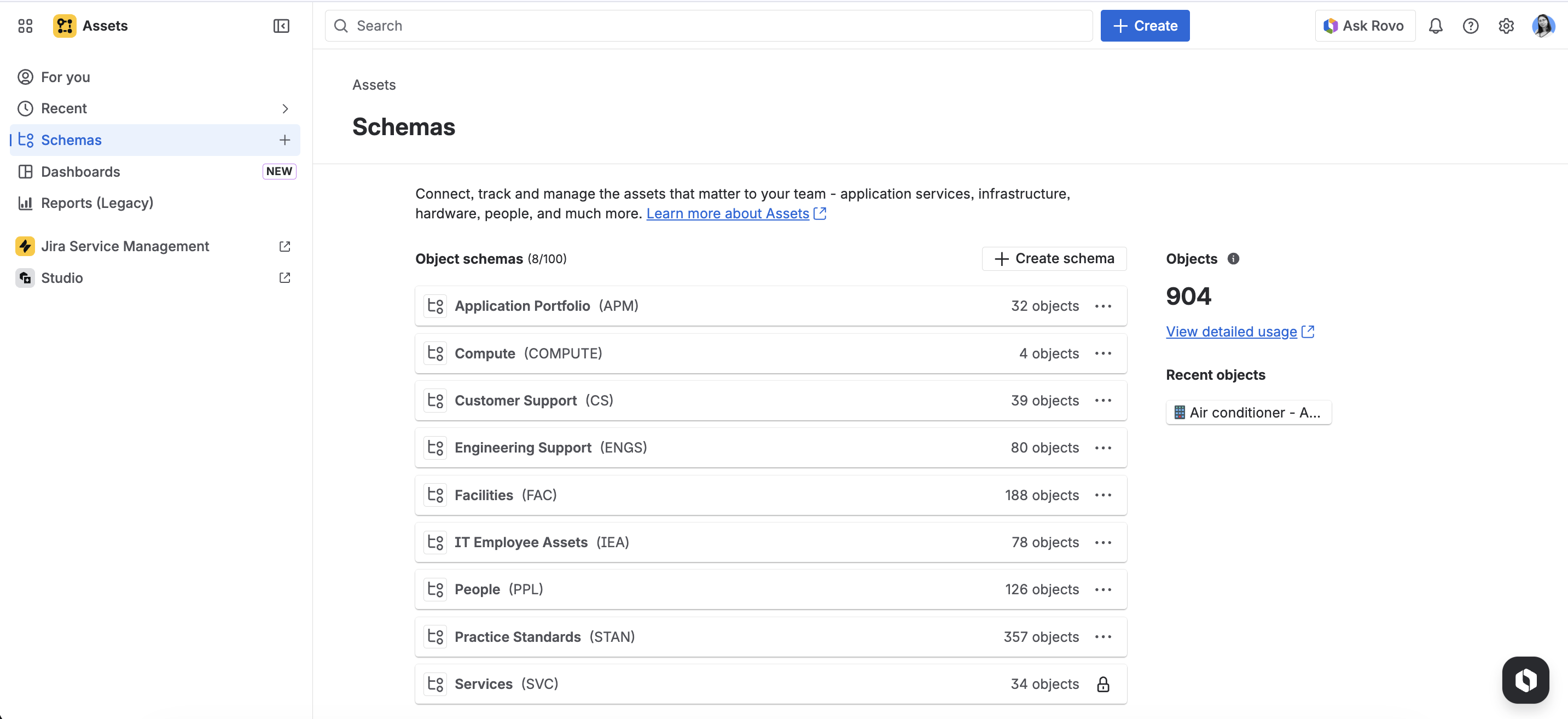
Assets is the built-in asset management tool. This is where you manage company assets in a structured and intuitive way.
Assets helps teams:
- track assets and configuration items,
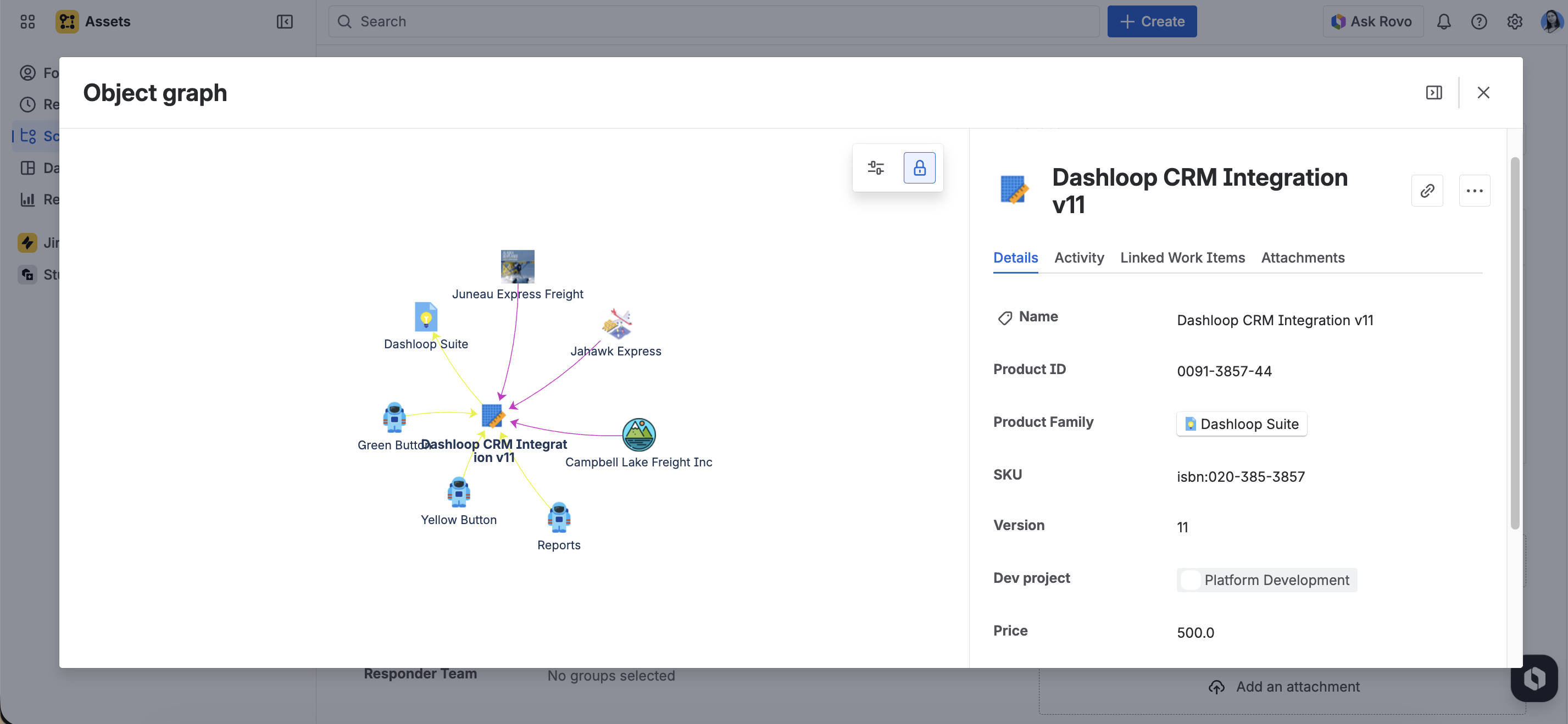
- visualise relationships between applications, services, and infrastructure,
- understand dependencies that affect service delivery.
It’s included in Service Collection Standard, Premium, and Enterprise plans.
Unlike traditional CMDB systems, Assets offers a flexible data structure. You’re not limited to IT use cases. Teams from HR, sales, marketing, legal, or facilities can also track and manage their resources there.
%20(1).gif)
Assets features
Here's what you can do with Assets:
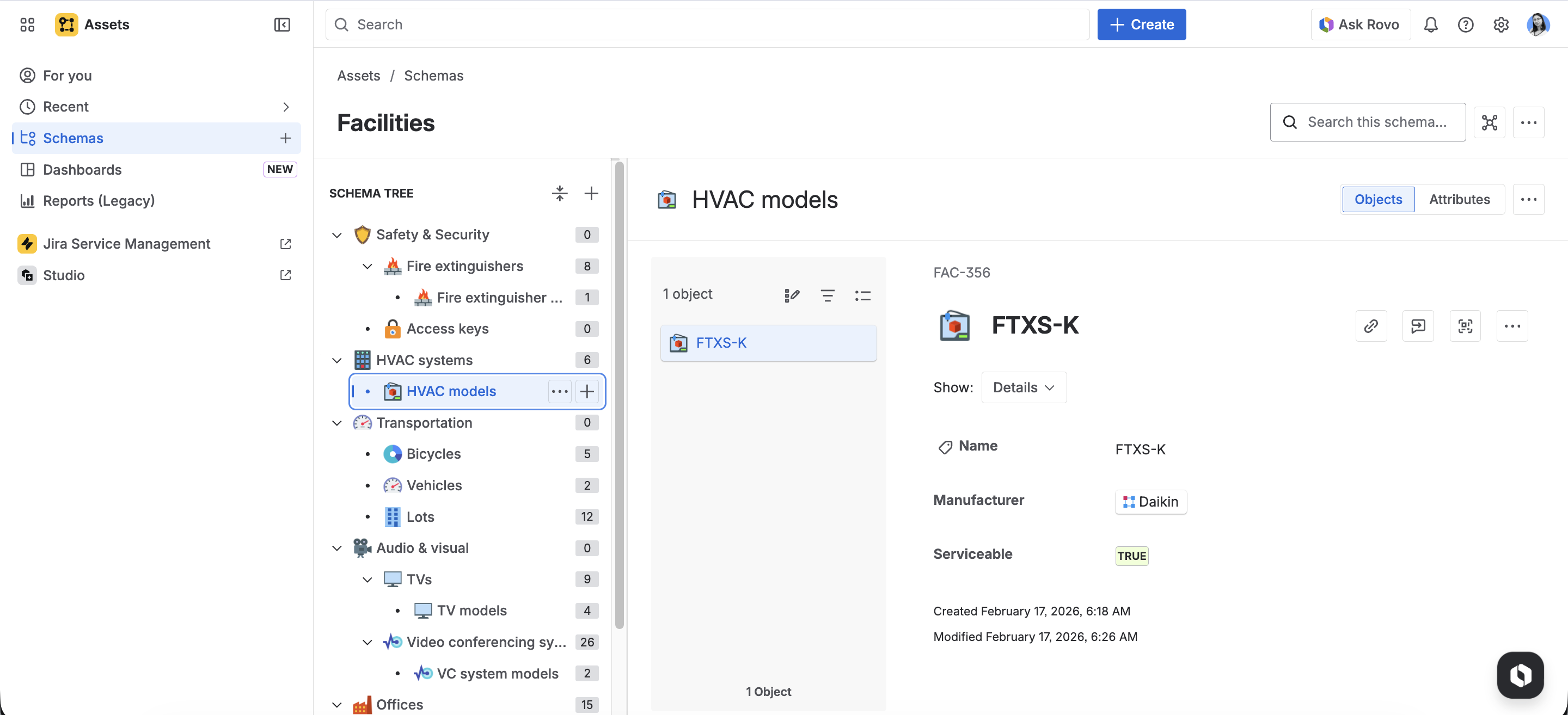
1. Create object schemas, object types, objects, attributes, references, statuses and icons.
- An object is anything that is singular and unique - a laptop, a server, a piece of equipment, a contract, or even a vehicle. Objects are your actual assets/configuration items (CIs).
- An object schema is the actual configuration management database (CMDB) that contains your object types and objects.
- You can link objects to your Jira issues and to each other using object references, which show how objects depend on each other.
2. Integrate with Jira Service Management and Jira through the Assets Custom field.
.gif)
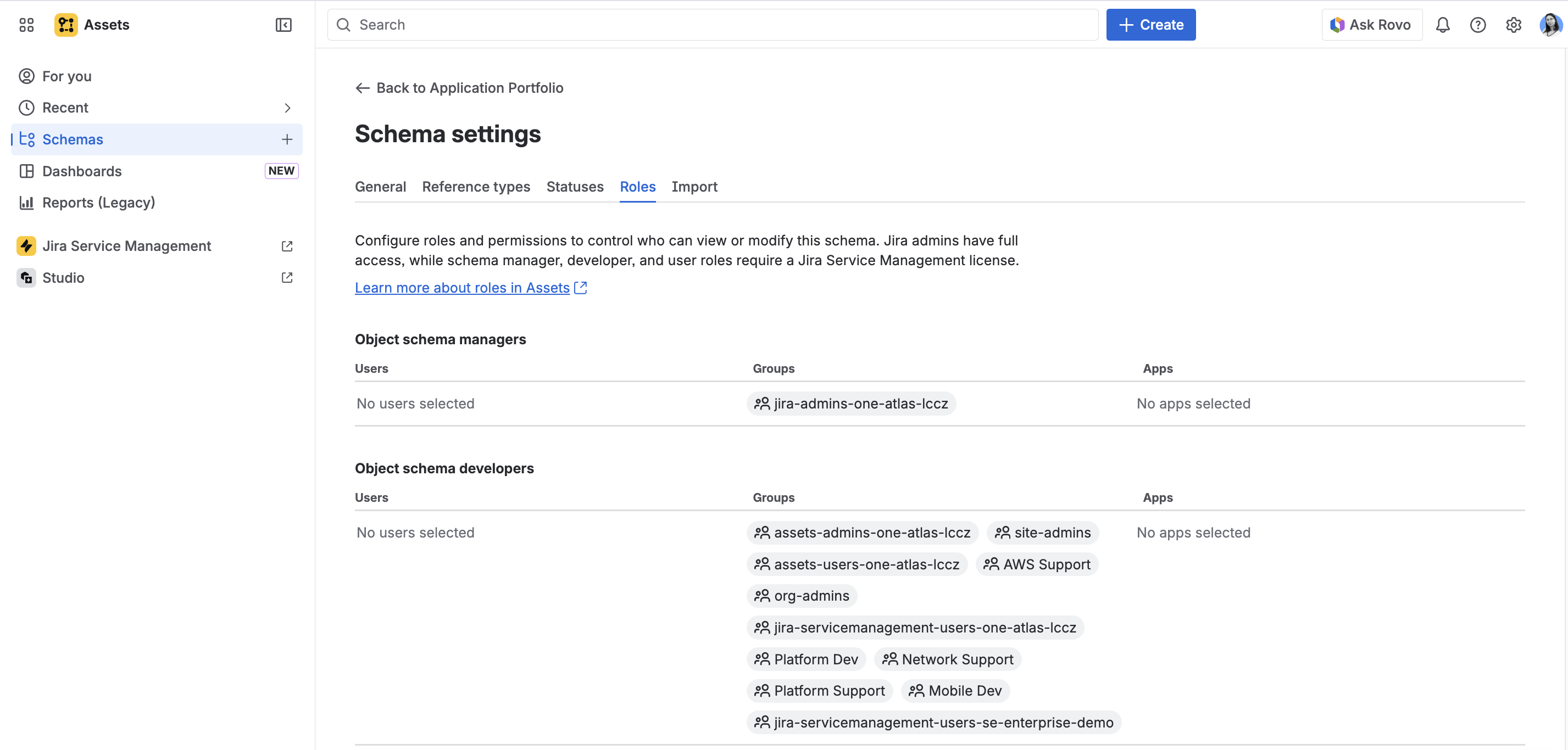
3. Administer all user roles, automate tasks using Atlassian Automation
4. Import data using CSV, JSON, and Assets Discovery. Export data from objects and bulk edit objects
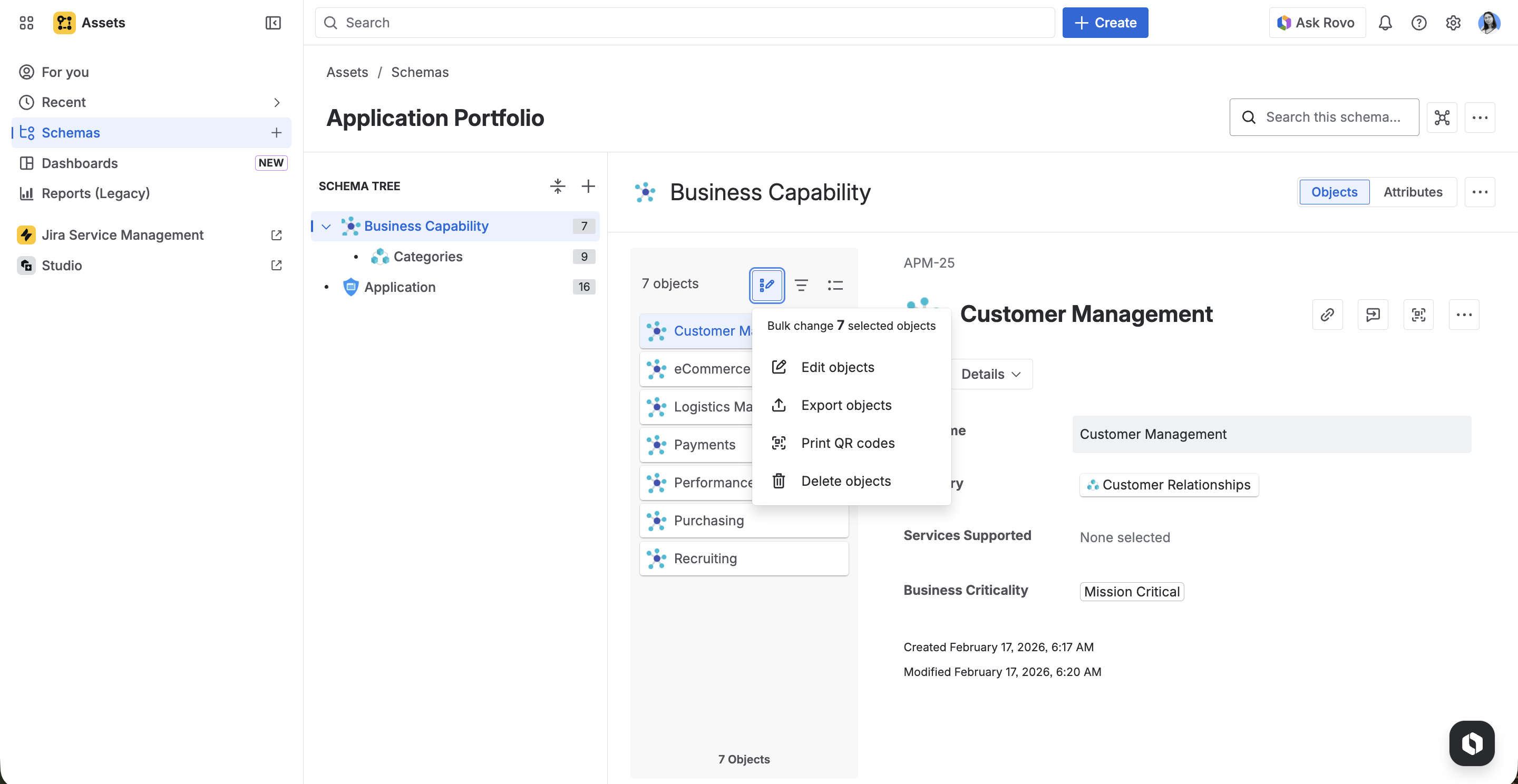
5. Search using basic search or advanced AQL functionality
.gif)
Jira Service Management Assets’ pricing
Assets is part of the Atlassian Service Collection and cannot be purchased separately.
Pricing is based on the number of agents - users who work in Jira Service Management (not customers using the portal). Costs depend on the number of agents and the selected plan (Standard, Premium, Enterprise).
Prices may change, so it’s best to check the official Atlassian pricing page for the most up-to-date information.
All Service Collection paid tiers (Standard, Premium and Enterprise) have access to Assets - look for Assets in the app switcher.

What are the alternatives to Assets?
If you don't want to purchase Jira Service Management but still want to be able to add or configure assets in Jira, there are other ways to do so.
External products connected with Jira
You can find an external CMDB product that integrates with Jira. This way, you can combine your resources from this solution with Jira issues.
- One example of such a solution is Starhive, our partner with whom we collaborated on a blog article about assets.
Atlassian Plugins
Plugins are add-ons that extend Jira's functionality with additional options. They can be free or available for an additional fee depending on the number of users. Some of them allow you to add asset management features directly to Jira.
- One example of such an add-on is AssetIT, an application developed by our partner, Atlassian Marketplace Partner from Japan, DevSamurai.
Summary
Assets is part of the Atlassian Service Collection and provides a structured way to manage company assets and their relationships.
It helps you:
- monitor asset lifecycles,
- understand dependencies,
- and store critical data in one place.
As an Atlassian Partner, we support our customers with Jira, Jira Service Management, Assets, and Marketplace apps - from implementation to migration and optimisation.
If you’d like to learn more about how we can help, visit our Atlassian services page.

FAQ
1. What is asset management and why is it important?
Asset management is the process of collecting and tracking information about valuable company items - like laptops, hardware keys, and software licenses - in a central database. It is important because it helps you know what you own, who is using it, and its history, saving you money and keeping your data safe.
2. What is the difference between CMDB and Asset Management?
While both deal with your company's assets, they offer different perspectives. A CMDB (Configuration Management Database) focuses on technical details, showing how configuration items (CIs) work together to deliver a service (e.g., which network a device is connected to). The Asset Management view, on the other hand, focuses on business value and lifecycle (e.g., checking if a device is still under warranty).
3. What is the Atlassian Service Collection?
Service Collection is a bundle offering from Atlassian that includes Jira Service Management, Assets (the built-in asset management tool), and Customer Service Management.
4. Can non-IT teams use Atlassian Assets?
Yes! Unlike traditional CMDB systems, Assets offers a flexible data structure. Teams from HR, sales, marketing, legal, or facilities can also use it to track and manage their specific resources.
5. How much does Atlassian Assets cost?
Assets cannot be purchased separately; it is part of the Atlassian Service Collection (included in Standard, Premium, and Enterprise plans). The pricing is based on the number of agents (users who work inside Jira Service Management) rather than the number of customers using the support portal. Check the official Atlassian pricing page for the most up-to-date information.
Extra sources:

Marketing and creativity fairy, responsible for branding, content creation, and promoting our services. With an academic background in cybersecurity and a passion for marketing, she combines the best of both worlds. If you're looking for a conversation starter, Canva designs and good books are always great topics with her!

Simplify tasks and teamwork with Atlassian

Unlock business growth with Salesforce

Transform your data into smart decisions with Splunk


.png)
.png)
