Atlassian has joined the AI-powered team and now has its own Artificial Intelligence solution: Rovo.
The effectiveness of AI depends not only on the model itself, but also on the available data and context. Thanks to Teamwork Graph, Rovo is able to leverage user data from its Atlassian products and connected external sources to provide personalized responses and build helpful agents. Rovo is also at the heart of the entire Atlassian System of Work philosophy, whose main idea is to create a unified workspace for teams, free of silos.
Here’s how Rovo works and why it’s worth trying out.
What is Rovo
Rovo is an AI-powered Atlassian solution that provides personalized responses and offers features such as Chat, Search, and Agents. Rovo connects to an organization’s entire knowledge base through the Teamwork Graph and is available to customers with a Standard, Premium, or Enterprise Cloud plan of Jira, Confluence, Jira Service Management, and Service and Teamwork Collections.
What can you do with Rovo?
- Find information across your data, tools, and platforms, including third-party sources
- Ask questions to get contextual answers based on your sources
- Build Agents to handle repetitive tasks for you
- Writing summaries and highlights
There are five different tools in the Rovo capabilities: Rovo Search, Rovo Chat, Rovo Agents, Rovo Studio, and Rovo Dev.
.gif)
Rovo Data Flow - How Rovo Works?
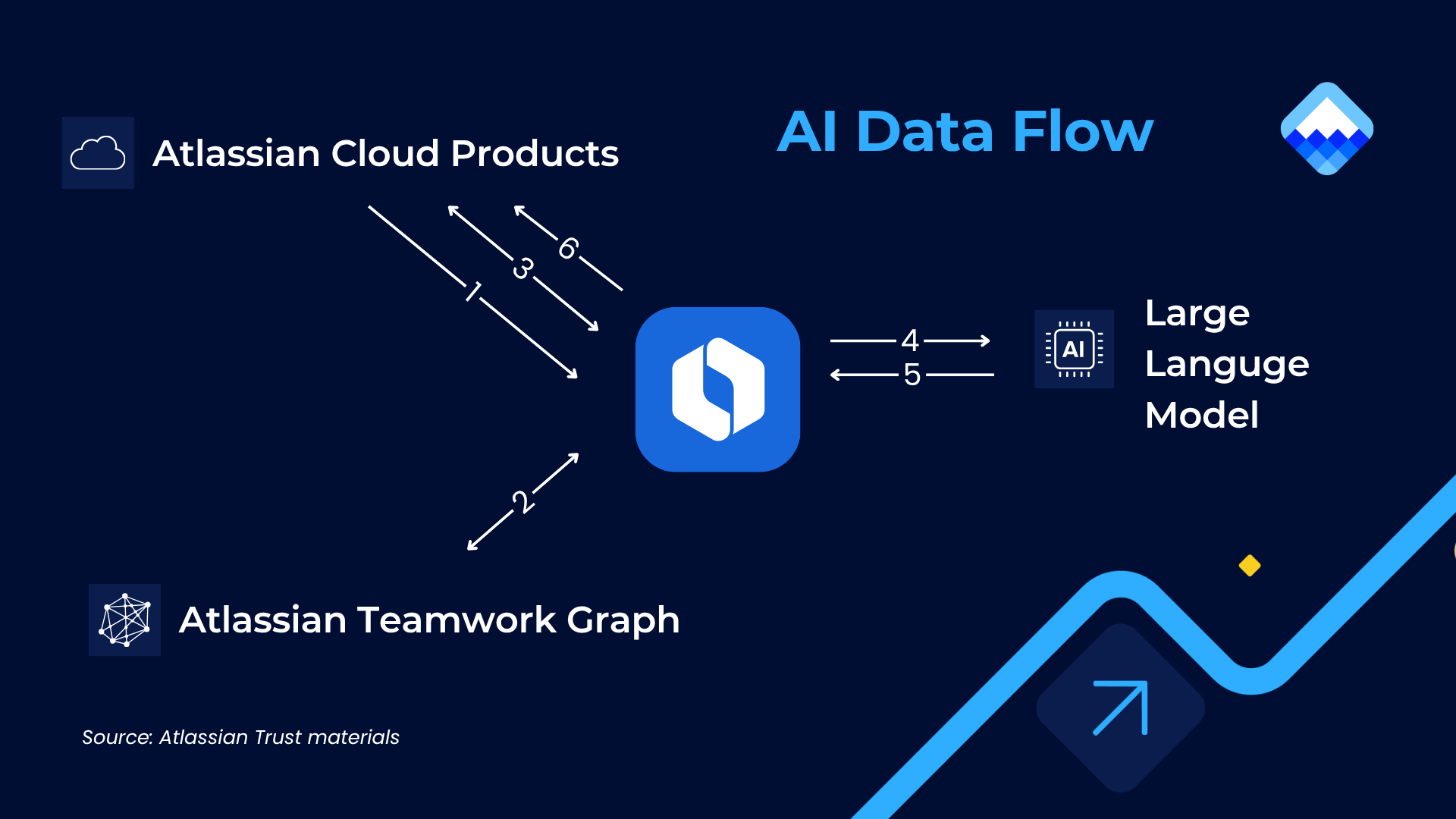
How does Rovo work behind the scenes? There are a few steps it takes to ensure better relevance and context:
- The user sends a prompt to Rovo via available interfaces
- After that, Rovo ‘grounds’ itself with information using Atlassian Teamwork Graph, searching for data relevant for the query. Teamwork Graph pulls in data from your Atlassian tools and connected third-party apps to provide a comprehensive view of your organization’s goals, knowledge, teams, and work.
- Based on the Teamwork Graph index, Rovo goes and fetches that contextual data from the Atlassian Cloud products, such as the content of the page or number of associated tickets.
- Rovo then uses dynamic routing to send the prompt and its contextual information to whichever LLM it judges will give the best response. This may be an external third-party (3P) LLM, an Atlassian-hosted LLM that follows the same practices and policies as their core products, or a combination of both.
- Once the LLM(s) sends back a set of results, it applies a set of small language models to fine-tune the information and generate a tailored response for the user.
- In the last stage, Rovo does a final live check of permissions to ensure that the response is based on data that the user has access to.
Rovo is built on Atlassian Cloud and therefore, it is subject to all the security measures listed by Atlassian on its Trust page, including privacy policies and compliance programs.
Rovo Search
Rovo Search allows you to look for information across Jira, Confluence, Jira Service Management, third-party tools (like Google Drive, SharePoint, Slack, and GitHub) from a single interface, and soon even Assets. Search results respect user permissions, so people can only see what they already have access to.
Just ask a question in natural language, and Rovo will answer using available sources.
How different is it from regular search? Here is the answer directly from Rovo:
- It understands natural language - you can ask questions in plain language like "What was our CSAT score last quarter?" or "What is the process for expensing a claim?" rather than guessing keywords.
- It searches across your entire knowledge landscape - not just Confluence or Jira, but also connected third-party tools like Google Drive, SharePoint, Slack, and more, all from one place.
- It respects your permissions - results are personalized based on what you actually have access to, so you only see relevant content.
- Smart Answers / Q&A (when Atlassian Intelligence is enabled) - instead of just listing documents, it synthesizes an answer from across your sources.
- Knowledge Cards - searching for a person, team, or project gives you a rich snapshot of related context, not just links.
- Topics & Definitions - it helps decode company-specific jargon, acronyms, and project names in context.
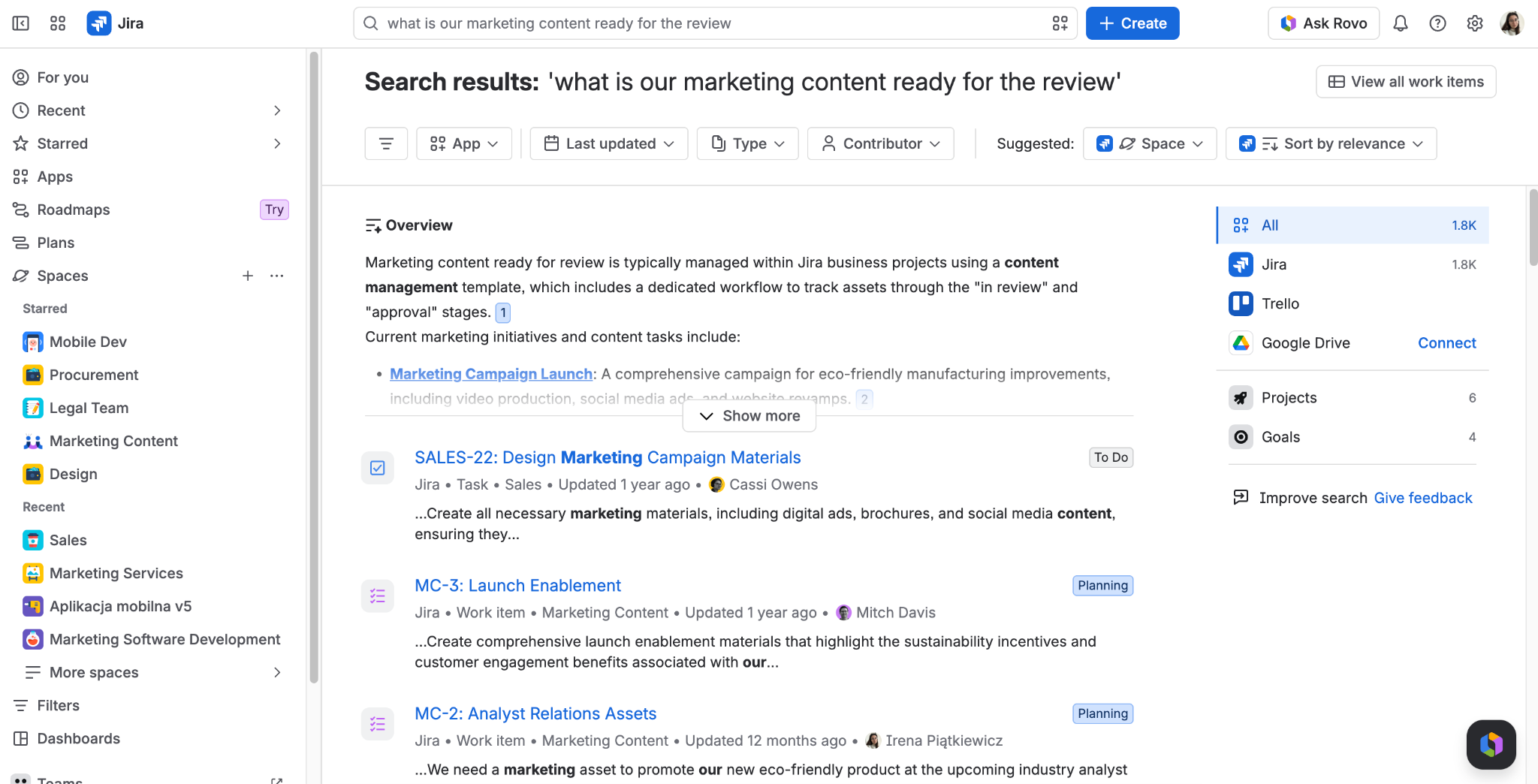

Rovo Chat
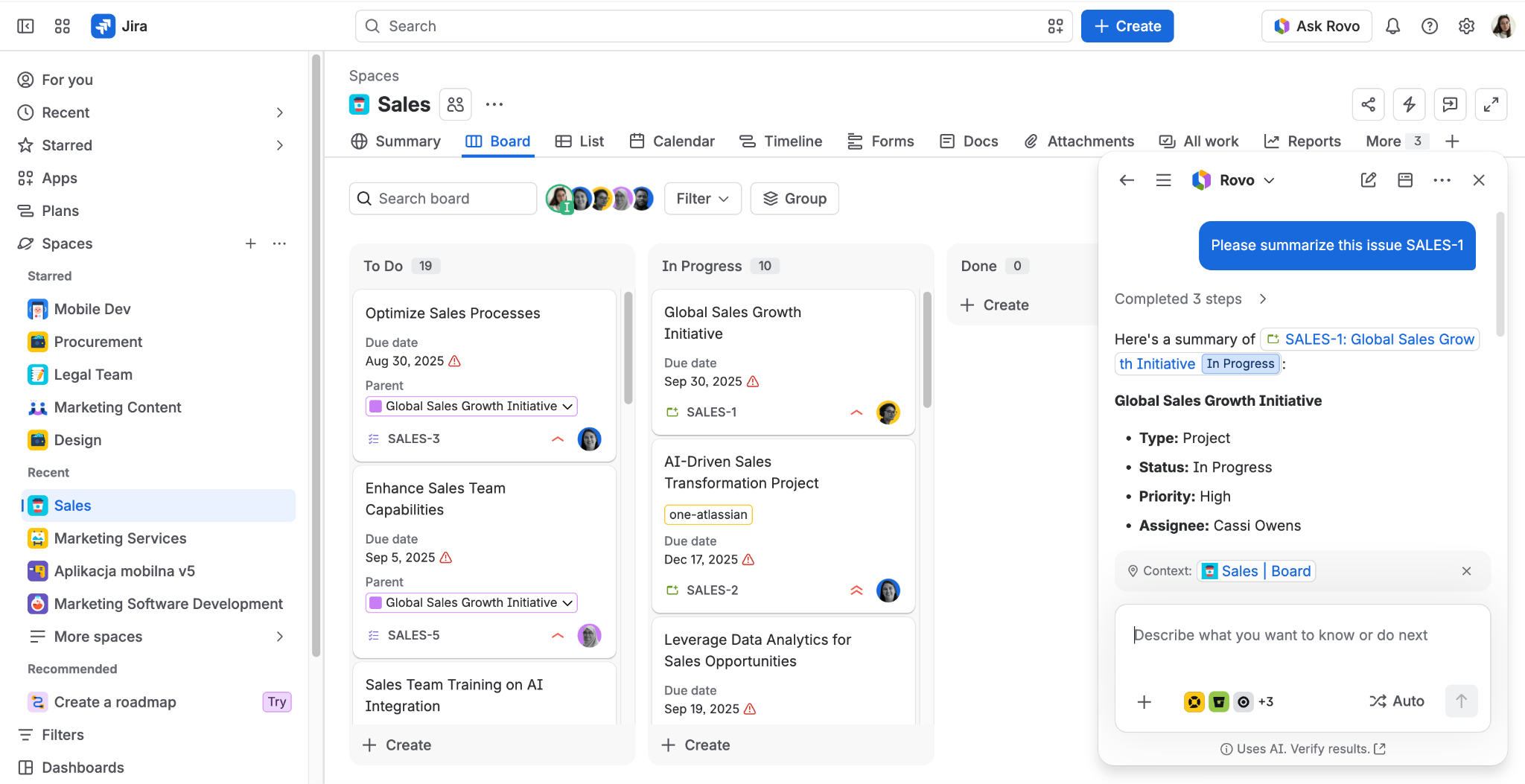
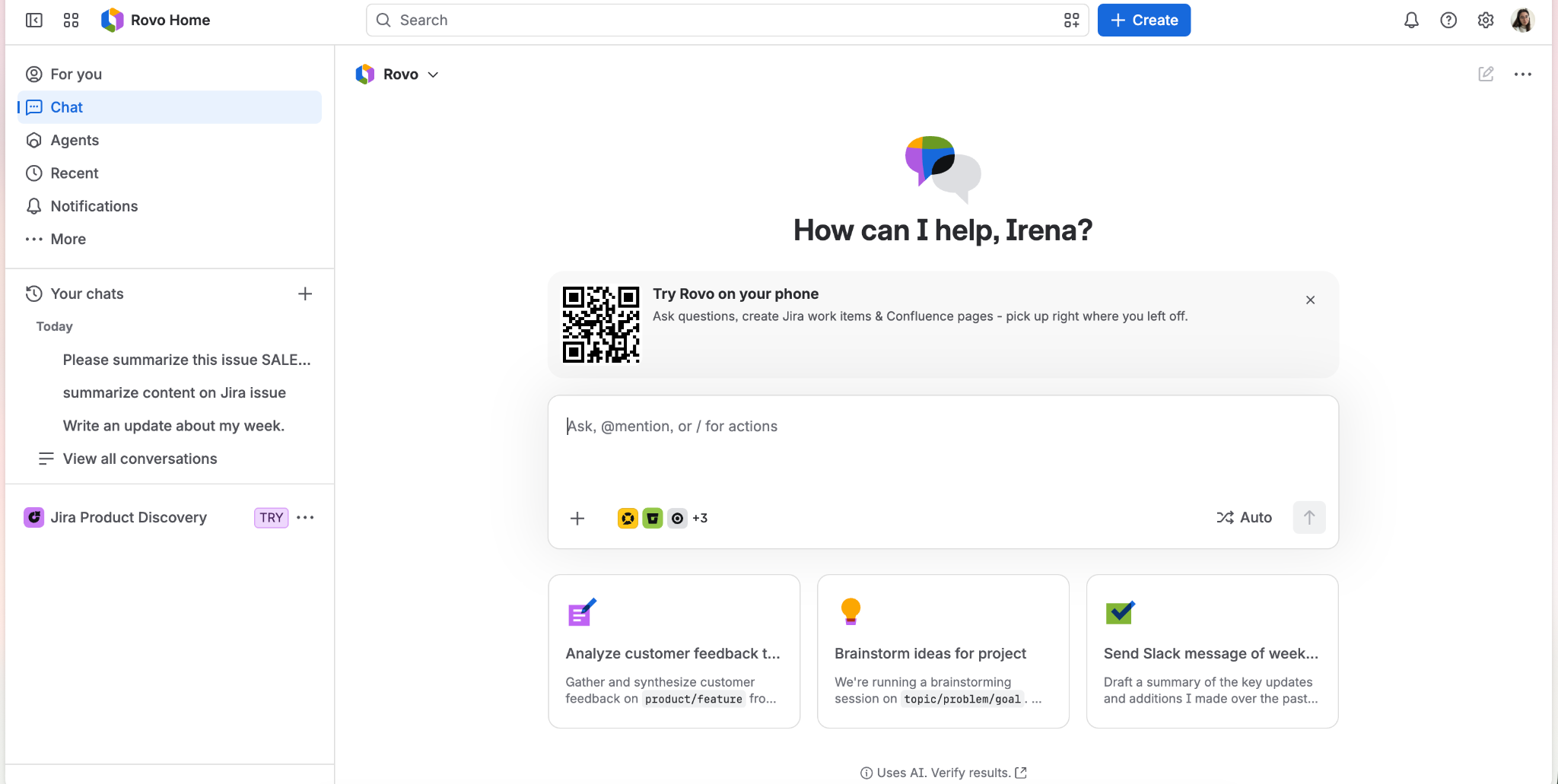
Rovo Chat is a conversational AI assistant built into Atlassian tools that uses your content sources to answer questions and resolve queries. You can ask follow-up questions and request more details. It can answer complex questions, summarize pages, help draft content, and find specific information, while respecting your permissions and keeping chats private to you.
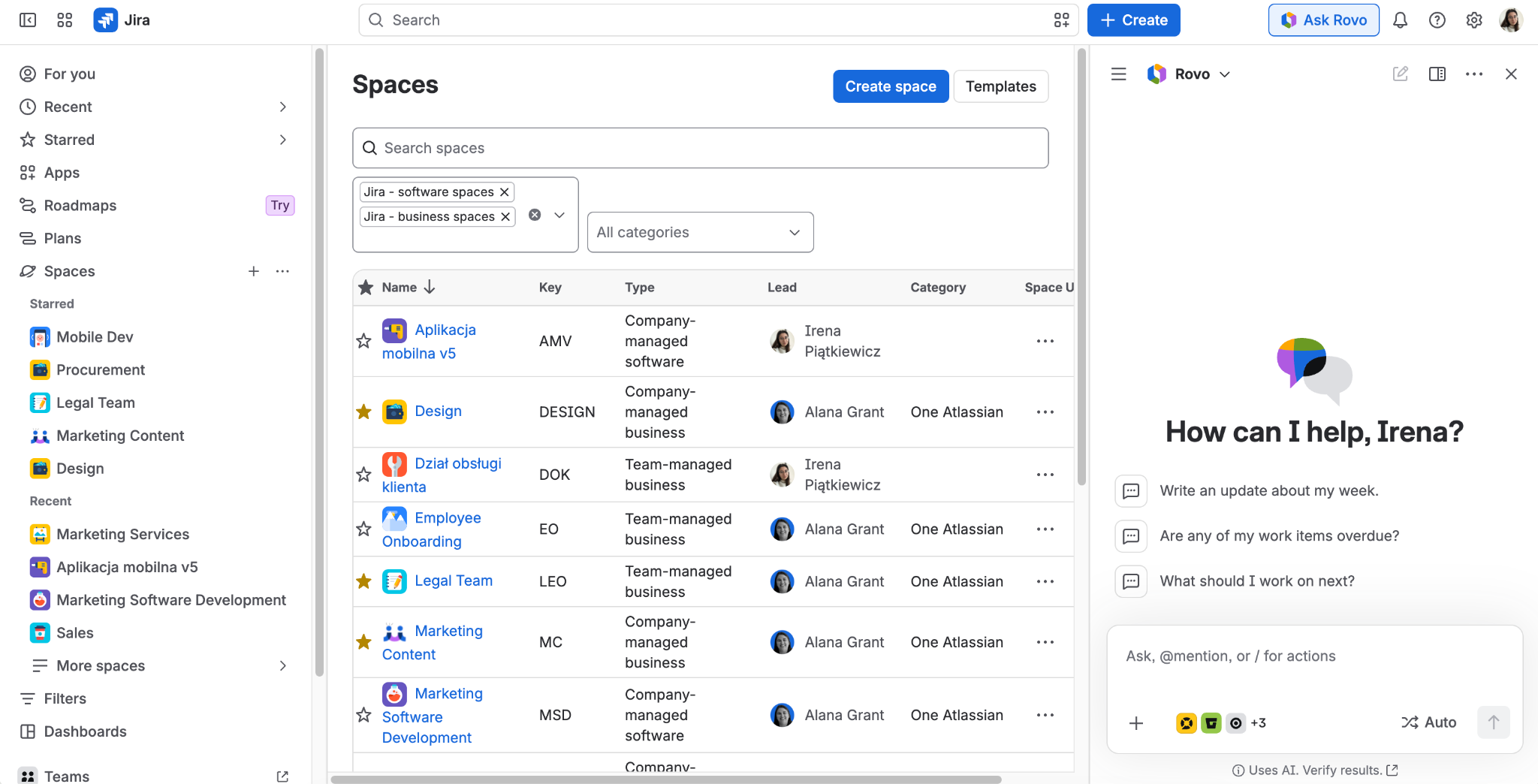
Rovo Agents
Rovo Agents are AI virtual assistants designed to make work easier, primarily by taking over repetitive tasks. Users can choose from a selection of pre-built Agents or create custom Agents using Rovo Studio.
Rovo Agents can help you to:
- Generate, review, and refine content
- Get answers to questions and get recommendations based on best practice in your organization
- Automate repetitive tasks
- Facilitate multi-step processes
- Assist with complex issues
- Perform specialized skills (with your permission) like organize, create, or edit Jira work items or Confluence pages.
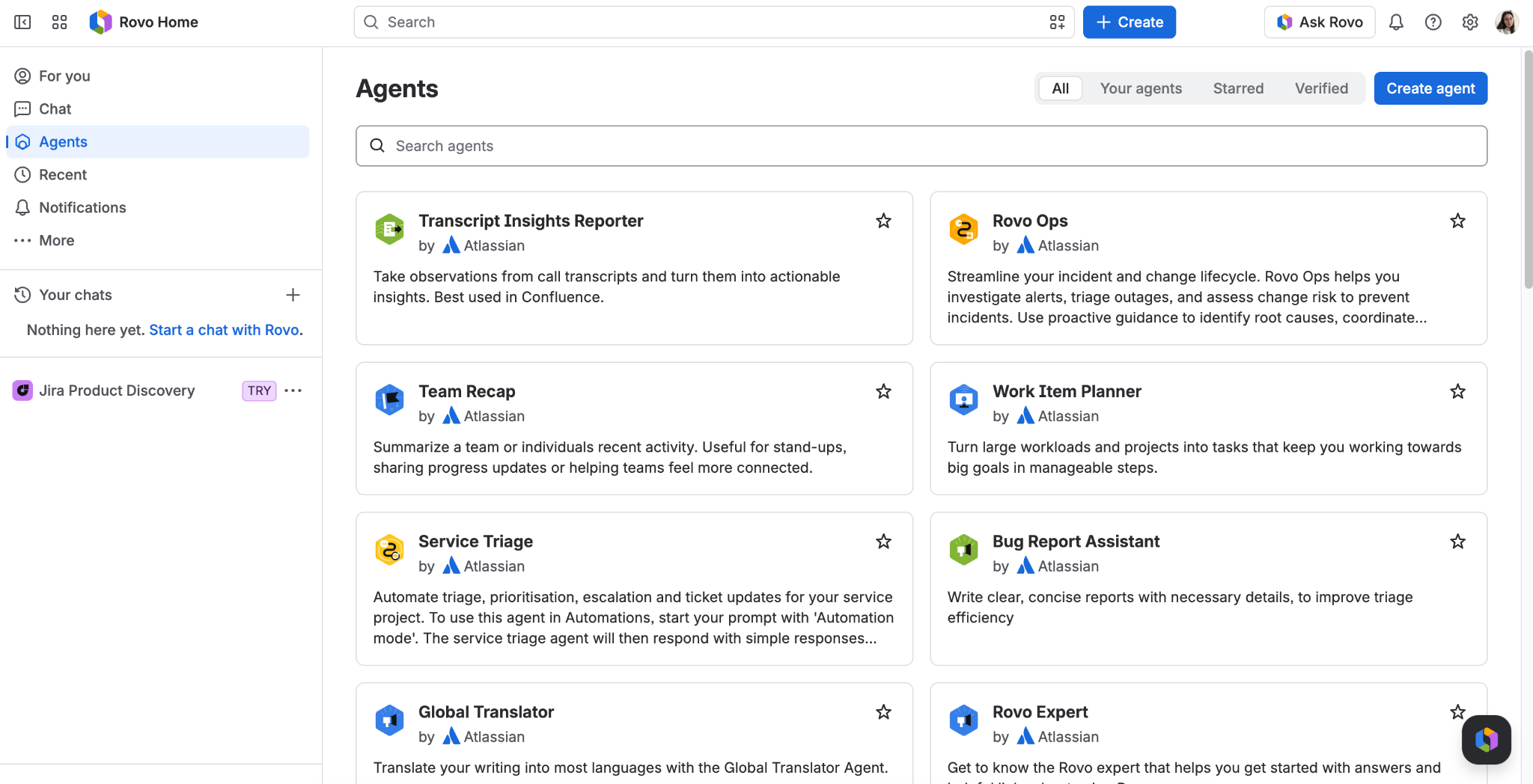
There are different ways to create an agent used in Atlassian tools. Atlassian distinguishes three types:
- Agents created with Rovo - prebuilt by Atlassian for users to adapt to their needs.
- Agents created with Forge - more sophisticated agents built with code in Forge, developed by third-party Marketplace developers, customers, and Atlassian Partners.
- Agents created without code - built by end users in Studio using natural-language instructions or prompts. Anyone can create and share one.
Rovo Studio
Rovo Studio brings Atlassian’s building tools together in one place, so teams can create, manage, and find what they need without switching between apps. From a single workspace, you can:
- Build Agents - create custom, AI-driven Agents that handle specific tasks or surface information based on your organizational data and goals.
- Build automations - design automation rules that take care of repetitive processes and cut down on manual work.
- Create content hubs - set up central locations where a team or the whole organization can reach curated, verified information, resources, and documentation.
- Manage assets - organize and track assets such as configuration items, resources, or inventory, with visibility across the platform.
Rovo Dev
Rovo Dev extends Rovo’s capabilities for professional software engineers. It handles code planning, code generation, and code reviews, and automates repetitive work at scale. Because it understands both natural language and code, it accelerates the software development lifecycle and lets teams bulk-automate routine tasks. Powered by Atlassian’s Teamwork Graph, Rovo Dev draws on organizational context, business knowledge, codebase history, and best practices to help teams ship better software, faster.
Rovo Dev meets developers where they already work. It’s available in Jira, IDEs (VS Code), the CLI (command line interface), and source code management tools (Bitbucket and GitHub).
Who is Rovo Dev for?
- Primary users - Professional software developers who want to reduce admin work and context switching, shorten onboarding, and spend more time coding so they can launch products faster.
- Decision makers - CIOs, CTOs, and engineering leaders focused on productivity, efficiency, and growth.
- Champions and influencers - Engineering managers, DevEx teams, and platform owners.
- Gatekeepers - Legal, procurement, and InfoSec teams responsible for compliance and risk.
Teamwork Graph
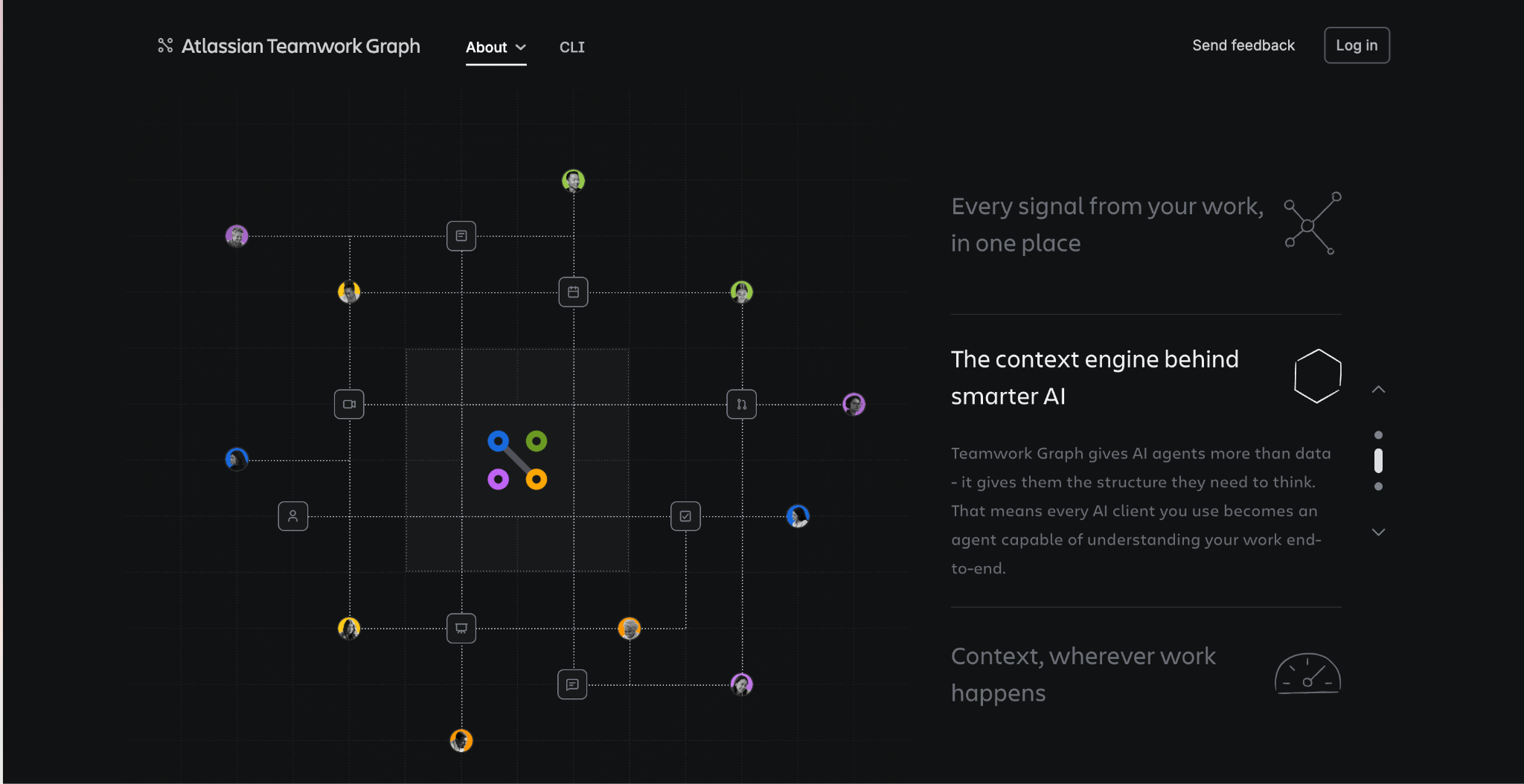
Rovo runs on Atlassian’s proprietary common data model, the Teamwork Graph, which lets it understand the relationships and context within your organization. The Teamwork Graph pulls in data from your Atlassian tools and connected third-party apps to build a comprehensive view of your organization’s goals, knowledge, teams, and work. The more tools you connect and the more your teams work, the more connections and insights it builds, and the more relevant its results become.
Rovo plan and pricing
Rovo, including Search, Chat, and Studio apps as well as Agents, is included in all paid subscriptions of Jira, Confluence, Service Collection and Teamwork Collection Cloud. If your organization has at least one of these paid Cloud plans, Rovo will be automatically added to eligible sites as part of the rollout, no separate Rovo purchase is required.
Rovo Dev Standard is priced at $20 per developer per month, which includes 2,000 Rovo Dev credits per developer per month. If you need more credits, extra usage is billed at $0.01 per credit. Rovo Dev has separate pricing and packaging from Rovo.
Rovo Standard, which allows people without a license for Atlassian products to use its features, is currently in beta.
Rovo usage-based pricing
Starting December 3, 2026 Atlassian moves from a flat/included model to usage-based pricing measured in “Rovo credits” - a single unit that tracks both AI actions (Intelligence) and enriched context pulls from the Teamwork Graph (Context).
Paid Cloud plans include a monthly pool of Rovo credits at no extra cost based on plan tier and seat count. Allowances are pooled organization-wide and refresh monthly (unused credits do not roll over). Admins can monitor, forecast, and control consumption via Atlassian Administration (Insights > Platform usage). Automated email notifications are sent at 80% and 100% of defined limits, and extra usage can be capped or disabled.
What is paid vs free?
- What consumes credits: Rovo Chat, Rovo Agents, Think Deeper, Coding Agent, third-party API calls, and Forge/Studio apps or agents invoking Rovo.
- Always Free: Rovo Search, summaries, inline suggestions, and third-party indexed data/connectors.
You can find more information about usage-based pricing on the Atlassian Support website.
How can I start using Rovo?
There are several ways you can access Rovo in your browser or app:
- Rovo.com - Once you enter this address in your browser, you'll be redirected to the Rovo home page connected to Atlassian tools.
- Browser extension - After installing the extension in Chrome or Edge, you can use Rovo Chat on any website and send prompts that take into account the website's data and organizational context
- /ai - Type /ai when you are editing a Confluence page or updating the description of a Jira ticket
- Agents - Open Rovo Chat to view Rovo Agents and start interacting with them.
- Chat - Click the “Ask Rovo” button at the top of the page in Atlassian app
- IDE with GitHub Copilot - ask @atlassian-rovo inside your code to open chat window
- Confluence mobile app - Within the app, just like in the web version
How to activate Rovo - tutorial for admins
Rovo is activated automatically for Enterprise, Premium, and Standard Cloud plans. To use it fully, AI must be enabled on each site where Rovo has been added.
Admins can’t switch individual Rovo apps - Search, Chat, Agents, or Studio - on or off separately. Instead, AI-driven LLM features are managed through a single, centralized Atlassian Intelligence toggle, available on Enterprise, Premium, and Standard Cloud editions. Whether Rovo’s features are available depends on whether that toggle is set to “enabled” or “disabled” in Atlassian Administration.
To confirm Rovo is activated in your organization:
- Go to Atlassian Administration and select your organization (if you have more than one).
- Open Apps in the top navigation. If Rovo is activated, it will appear in the table. Your teams should also see the Rovo apps (Rovo Search, Rovo Chat, Rovo Studio) in Jira, Confluence, and/or Jira Service Management, as well as in the app switcher.
Rovo Connectors
The power of Rovo comes from its sources - external and internal. Rovo connectors are integrations that allow Rovo and the underlying Teamwork Graph to connect with other tools and systems.
There are two types of connectors available:
- Smart-link connectors are configured by users, allowing them to search and view data they have access to as smart links.
- Admin-managed first-party (1P), second-party (2P), and third-party (3P) connectors that are more powerful and facilitate the connection to external SaaS products. They can be hosted and built by Atlassian, by a vendor or by an external provider.
To see what types of connectors are currently available, visit this website.
Responsible technology & security
Atlassian builds Rovo to uphold its Responsible Technology Principles, first published in 2023 and put into practice through responsible technology reviews. In 2025, Atlassian refreshed these resources with a No BS Guide to Responsible AI Governance and Responsible Technology Review Template, shaped by feedback from teams inside and outside the company.
Its approach rests on three pillars: upholding principles through real-world practices, learning together as a team, and delivering transparency while driving dialogue - reflected in commitments such as joining the EU AI Pact and collaborating with the Human Technology Institute.
On its Trust page dedicated to security, Atlassian highlights three aspects of its efforts:
- Stay in control - Data policies and controls prevent LLM providers from storing your inputs and outputs or using them to train their models. Rovo combines open-source, Atlassian-hosted, and third-party hosted models (including OpenAI’s GPT, Anthropic’s Claude, and Google’s Gemini series), using dynamic routing to pick the best model for each request. Eligible Cloud Enterprise organizations can choose to use only Atlassian-hosted LLMs, keeping usage within the Atlassian Cloud boundary.
Note: Starting from August 17 2026 Atlassian may use metadata to fine-tune open-source models that operate strictly within Atlassian's infrastructure, solely to improve the quality of responses and experiences we deliver to customers. Customers can read more about this in the Data Contribution FAQs and on the AI Trust page. If your Atlassian organization has an active Enterprise plan, you can opt-out of metadata contribution. If your Atlassian organization’s highest active plan is Free, Standard, or Premium, metadata contribution is always on, and you’re not able to opt-out.
- Keep your data secure - Rovo inherits the security practices and privacy policies of the Atlassian Cloud Platform. Third-party LLM providers operate under strict zero-data-retention agreements, data is sent individually over an SSL-encrypted service, and Rovo has completed SOC 2 and ISO 27001 certifications, with support for data residency, GDPR, and HIPAA within defined boundaries.
- Enforce usage policies - Rovo honors all existing permissions. Users only ever see or act on content they already have access to, so two people may get different results from the same query. This extends to third-party connectors and to the actions Rovo Agents can take.
A note on accuracy: some of Rovo’s models are probabilistic, generating responses by predicting the most likely next words. They can occasionally be inaccurate or incomplete, so review responses before relying on them, especially where you need current, factual information about people, places, or events.
Summary
Rovo is the artificial intelligence built into Atlassian products. It lets you get context-aware answers to your questions and searches, and create agents that will automate your daily work. Thanks to Teamwork Graph, every interaction with Rovo is based on company data to which the user has access. It is this feature that makes Rovo even more useful than general AI solutions. If you have a paid license for Jira or Confluence, try Rovo today and let us know what you think of the new features!
About Peakforce
Peakforce is a remote-first software house based in Wrocław, Poland and since 2025 also a part of Finnish group WeAre Solutions Oy. We are a team of consultants with deep technical experience in the Atlassian and Splunk domains. As an official partner in both technologies we help companies reach their peak with consulting, health-checks, implementations, and more. We believe in building long-term relationships with our partners, based on trust, open communication, proactive approach and delivering results.
FAQ
- Can I turn off Rovo in my Atlassian tools? No, you can’t turn off Rovo. But you can deactivate AI in any of your apps. Without AI, Rovo will still have some limited capabilities.
- What is the difference between Atlassian Intelligence and Rovo? Atlassian Intelligence was first announced in 2023 as Atlassian’s AI offering. It powers these capabilities across its tools, as well as Rovo. Currently, most people use the term "Rovo" to describe Atlassian’s AI.
- What LLMs does Rovo use? Rovo leverages both third-party hosted models and Atlassian-hosted models:
- Third-Party Hosted Models:
- OpenAI: GPT series
- Anthropic: Claude series
- Google: Gemini series
- Atlassian-Hosted Models:
- Meta: Llama series
- Mistral AI: Mixtral
- Microsoft: Phi series
- Third-Party Hosted Models:
The information presented here is from the perspective of an Atlassian partner, not the Atlassian company itself. We make every effort to ensure that the content is accurate, but if you find an error or have a suggestion for our blog, please email us at contact@peakforce.dev.
Sources:
https://support.atlassian.com/rovo/docs/search/
https://www.atlassian.com/software/Rovo-dev
https://www.atlassian.com/software/rovo/studio
https://www.atlassian.com/blog/ai-at-work/responsible-technology-refresh-2025
https://community.atlassian.com/learning/path/get-the-most-out-of-Rovo
https://www.atlassian.com/software/rovo/guides/admin-guide/rovo-activation
https://support.atlassian.com/rovo/docs/chat/

Marketing and creativity fairy, responsible for branding, content creation, and promoting our services. With an academic background in cybersecurity and a passion for marketing, she combines the best of both worlds. If you're looking for a conversation starter, Canva designs and good books are always great topics with her!
%20(1).png)
Wojciech helps organizations make Atlassian solutions work for them, not the other way around. He’s always believed that great implementations need more than configuration - the right approach, clear standards, and a strong delivery environment. Outside of work, he describes himself as a fan of all kinds of boarding (snowboarding, surfing, skateboarding, etc.). He also enjoys mountain biking and travelling to lesser-known places with very different cultures.

Simplify tasks and teamwork with Atlassian

Unlock business growth with Salesforce

Transform your data into smart decisions with Splunk

.png)
.png)
.png)
